
The Critical Role of Your Digital Storefront in Brand Perception
In today’s digital-first world, your website is your Digital Storefront, the primary point of contact for most potential customers. It’s where Brand Perception is instantly formed. A poor first impression can send visitors searching for alternatives, making your website’s quality crucial for success.
Establishing Expertise and Trust in the Digital Age
Consumers judge a business’s credibility heavily on its website design. Many people admit that poor aesthetics are the main reason they mistrust a website. These judgments happen in seconds. Your site must quickly establish Experience, Expertise, Authoritativeness, and Trustworthiness (E-E-A-T). A professional, well-structured website signals reliability and quality. Conversely, an amateurish site undermines trust, regardless of your actual service quality. This initial subconscious judgment means DIY platforms with limited design flexibility start businesses at a disadvantage.
The Initial Allure vs. Long-Term Perils of DIY Website Builders
DIY Websites appeal to new and small businesses with promises of low costs, quick setup, and hands-on control. Entrepreneurs often choose them to save money or quickly establish an online presence.
However, this initial appeal often hides long-term dangers. The simplicity can lead to a Generic Appearance, making it hard to stand out. Promised savings vanish with Hidden Costs for essential features, and the unquantified cost of lost opportunities mounts. This creates an emotional conflict: the desire for control and affordability clashes with the frustration when DIY limitations stifle growth and damage the brand. The “control” offered is often an illusion, constrained by platform limits, including Platform Lock-in, making it hard to export data or integrate better tools. This false empowerment leads to a significant Opportunity Cost, as valuable time is sunk into a system that ultimately hinders expansion.
Purpose: Demonstrating Authoritativeness in Diagnosing DIY Pitfalls and Prescribing Professional Solutions
This article offers an expert diagnosis of how DIY websites undermine brand strength and business goals. It dissects common pitfalls, exploring consequences for brand integrity, Online Visibility, user trust, and scalability.
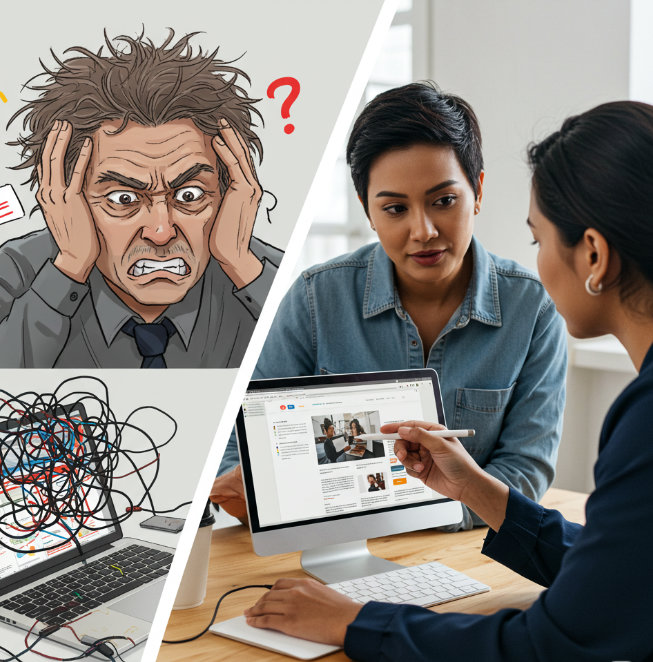
Furthermore, it prescribes actionable, data-backed strategies to rescue your brand from DIY constraints and establish a robust, Professional Web Presence. This analysis aims to empower business owners with the knowledge to make informed decisions that protect, elevate, and unleash their brand’s true potential.
The Hidden Toll: How Inadequate DIY Websites Systematically Erode Brand Authority & Trustworthiness
Opting for a DIY website can inadvertently lead to a cascade of negative consequences that silently erode a brand’s authority and trustworthiness.
The Detrimental Impact of DIY Websites on Brand Integrity & Expert Positioning

A subpar website actively damages brand perception, undermining integrity and making it difficult to be seen as an expert. For entrepreneurs, whose business is an extension of their passion, a website that fails to reflect this expertise is a painful disconnect. This “hidden toll” isn’t just financial; it can be deeply psychological, leading to self-doubt and frustration as their digital representation crumbles.
Diluting Brand Identity & Eroding Credibility with Generic, Unprofessional Designs
A brand’s visual identity is key to connecting with its audience. DIY builders, with their template reliance, often strip this away.
- The “Cookie-Cutter” Effect: Losing Uniqueness and Memorability
DIY builders often lead to a Generic Appearance due to limited templates. This dilutes Brand Identity because the site lacks unique visual elements reflecting the brand’s personality and values. When a visual identity is indistinguishable, memorability suffers. - Damaging First Impressions and Perceived Lack of Professionalism
First Impressions are overwhelmingly design-related. A DIY site with poor aesthetics—inconsistent spacing, ill-chosen fonts—signals a lack of professionalism, leading to Credibility Erosion. An unprofessional online presence can make customers question if the business is operational or if its services are as subpar as its digital facade. - Inconsistent Branding: A Barrier to Building Customer Trust
Inconsistent Branding across a website or with other marketing materials creates a disjointed experience, undermining trust and credibility. Customers question authenticity and professionalism. DIY platforms may not allow seamless integration of a consistent brand style.
The cumulative impact is an active erosion of brand equity. A DIY website with these flaws isn’t just failing to build the brand; it’s actively dismantling its reputation.
SEO Deficiencies & The High Cost of Online Invisibility from DIY Platform Limitations
Discoverability is key online, and Search Engine Optimization (SEO) is crucial. DIY builders frequently fall short here.
- Rudimentary SEO Tools vs. Advanced SEO Strategy Needs
Most DIY platforms offer only basic SEO features, insufficient for modern SEO. A successful strategy needs advanced tools for keyword research, competitor analysis, Technical SEO audits, and performance tracking—capabilities often absent or restricted, leaving businesses with Limited SEO Capabilities and persistent SEO Shortcomings. - Impact of Poor HTML Structure, Meta Tag Customization, and Schema Markup on Search Rankings
DIY platforms often generate bloated or poorly structured HTML Structure, hindering search engine crawlers. The ability for advanced Meta Tag Customization and implementing Schema Markup (structured data vital for context and rich snippets) is often severely limited or absent. - Mobile Optimization Failures and Their SEO Consequences
Inadequate Mobile Optimization is another critical flaw. While platforms claim responsive templates, customization for mobile layouts is often minimal, leading to poor Mobile Responsiveness. Given Google’s mobile-first indexing, a non-mobile-friendly site suffers SEO penalties, alienating the majority of users. - The Invisibility Trap: When Potential Customers Can’t Find You Online
These SEO deficiencies—poor HTML Structure, limited Meta Tag Customization and Schema Markup, failed Mobile Optimization, common Sitemap Issues, lack of Robots.txt control, and no support for strategic Backlink Building—result in dismal Online Visibility. Businesses become trapped, invisible to customers actively searching for them.
SEO limitations create a detrimental cycle: deficient Technical SEO leads to poor rankings, minimal organic traffic, and fewer opportunities for positive engagement signals. The “cost-saving” DIY website often becomes a financial drain due to lost organic leads.
Compromised User Experience (UX) & Lost Engagement Due to Poor Design and Functionality
A website’s User Experience (UX) is critical. If visitors find a site difficult or frustrating, they’ll leave. DIY sites, often built without UX understanding, are rife with engagement-compromising issues.
- Navigation Nightmares and Frustrating User Journeys
Poor Navigation is notorious on DIY sites: confusing menus, illogical organization, or unclear labels. This leads to frustrating user journeys and high bounce rates. If users can’t quickly find what they need, they leave. - Slow Loading Times: The Conversion Killer
Slow Loading Times, often from bloated code, unoptimized images, or Shared Hosting, are potent Engagement Killers. Many mobile users abandon pages taking longer than three seconds to load. Even a one-second delay slashes conversions. - Ignoring Mobile Responsiveness and Alienating a Majority of Users
Failure to ensure true Mobile Responsiveness is a critical oversight. With most web traffic from mobile, a non-responsive site delivers a compromised experience, alienating over half of potential customers. - Lack of Clear Calls to Action (CTAs) and Missed Conversion Opportunities
DIY sites often have missing, vague, or poorly placed Calls to Action (CTAs). If users aren’t clearly guided on the next step, conversion opportunities are lost. - Accessibility Issues: Excluding Potential Customers
Accessibility Issues are common. DIY platforms may not prioritize tools for accessibility (e.g., alt text for images, color contrast, keyboard navigation). This excludes users with disabilities and can have legal and SEO repercussions.
A compromised UX directly erodes credibility and loses revenue. It’s about functionality, ease of use, and respect for the user’s time. Compounded issues are devastating, signaling unprofessionalism or indifference.
Heightened Security Vulnerabilities & The Irreversible Breach of Customer Trust
Website security is non-negotiable. DIY sites often become unintended gateways for cyber threats, leading to catastrophic Trust Breaches.
- Outdated Software, Weak Protocols, and the Risk of Data Breaches
Security Vulnerabilities often stem from Outdated Software (platform, themes, plugins). Unpatched flaws are easy targets. Data breaches are rising, affecting millions and compromising personal information. - The Dangers of Shared Hosting and Lack of SSL Certificates
Many DIY sites use Shared Hosting, where one site’s vulnerability can compromise others on the server. Lack of a proper SSL Certificate (for HTTPS encryption) means sensitive data is transmitted insecurely. Browsers warn users about non-HTTPS sites, damaging trust and SEO. - Reputational Damage and Financial Fallout from Security Incidents
A security incident leads to profound Trust Breaches. Many customers cease business with a brand after a breach. Financial fallout for SMBs can be crippling, covering remediation, fines, legal fees, and lost revenue.
Security on DIY platforms is often reactive. The “it won’t happen to me” mentality, platform limitations, or lack of user expertise create a perfect storm. The “affordable” DIY site can become catastrophically expensive if a breach occurs.
The Myth of Affordability: Unseen Financial Costs & Drained Business Resources
The promise of low cost for DIY builders is often misleading, with numerous unseen financial burdens.
- Hidden Fees, Recurring Subscriptions, and Premium Add-on Costs
Initial low costs for DIY platforms often balloon with Hidden Costs: premium templates, essential plugins, domain renewals, increased storage/bandwidth, and recurring subscriptions. What seems cheap becomes an ongoing drain. - The “Time is Money” Factor: Opportunity Costs of DIY Management
The most significant cost is the owner’s time. Countless hours spent learning platforms, designing, troubleshooting, and maintaining are Time Sinks, diverting focus from core business operations. The Opportunity Cost—revenue or growth achievable if that time was spent on expertise areas—is substantial.

The true cost of a DIY website includes escalating platform fees, the owner’s lost time, and revenue forfeited due to poor performance. This often far outweighs professional web design investment.
Stifled Growth & Missed Opportunities: Scalability Limitations & Functionality Gaps
A website should drive growth, not hinder it. DIY platforms often impose limitations that stifle expansion.
- Inability to Accommodate Business Expansion and Increased Traffic
A critical issue is Scalability Gaps. As a business grows, its site must handle more traffic and complexity. Many DIY platforms falter under increased load, slowing down or crashing. Businesses often outgrow their DIY platform, turning a tool into a bottleneck. - Restrictions on Custom Features and Third-Party Integrations
DIY builders impose Functionality Gaps, restricting custom code needed for unique features (advanced bookings, membership portals, complex product configurators). Deep integrations with essential third-party tools (CRMs, marketing automation) can be difficult or impossible. - Platform Lock-in: Trapped by Your Builder’s Ecosystem
A major consequence is Platform Lock-in. Businesses often don’t own their site’s code or content in a portable format. Migrating usually means a complete, costly rebuild, trapping businesses in an ecosystem that no longer serves their needs.
These limitations create an artificial “growth ceiling.” The initial “easy start” can become a major roadblock to future success.
The Brand Rescue Blueprint: Leveraging Expertise to Transition to a Professional Web Presence
A DIY website’s damage isn’t irreparable. This section outlines a strategic blueprint for Brand Rescue, moving towards the empowerment of a Professional Web Presence.
Strategically Rescuing and Elevating Your Brand: Moving Beyond DIY Constraints with Expert Solutions
Transitioning to a professionally designed site is a strategic Brand Rescue. It’s moving from limitation and frustration towards empowerment and growth by leveraging expert solutions. The goal is to elevate the brand, connect effectively with the audience, build trust, and achieve full potential, restoring the owner’s peace of mind.
Recognizing Red Flags: Authoritative Indicators It’s Time to Abandon the DIY Approach
Acknowledging a DIY website’s failure is the first step. Several indicators signal it’s time for professional expertise.

- Consistently Poor Conversion Rates and Lagging SEO Performance
If a site consistently fails to convert visitors (low sales, few inquiries) despite traffic, or if SEO efforts yield no improvement in Online Visibility, it’s a major red flag. These often stem from design, UX, CTA, or Technical SEO flaws. - When Your Website No Longer Reflects Your Brand’s Expertise or Quality
If a DIY site looks outdated or misaligned with the brand’s current quality and expertise, it harms Brand Perception. A website should accurately reflect the business’s current standing. - Outgrowing Platform Capabilities and Needing Complex Functionality
As a business grows, it may need advanced functionalities (Functionality Gaps) like complex e-commerce features, CRM integrations, or membership portals. If the DIY platform can’t support these or hits Scalability Gaps (slowing down under traffic), it’s outgrown.
Persisting with a failing DIY solution due to sunk costs or fear of change only prolongs the negative impact.
The Professional Advantage: Demonstrating Why Expert Web Design Delivers Authoritative and Trustworthy Results
Professional web design offers distinct advantages by injecting specialized expertise and strategic thinking.
- Access to Specialized Expertise in Design, UX, SEO, and Security
Professionals provide a team with diverse skills: visual design, User Experience (UX), Technical SEO, copywriting, and security. This holistic expertise is impossible for one owner to replicate. They stay current with trends, algorithms, and security, ensuring effectiveness. - Custom Design for Authentic Branding and Enhanced Credibility
Professionals create Custom Design solutions tailored to a business’s unique Brand Identity, audience, and objectives. This authenticity fosters positive Brand Perception, enhances credibility, and builds trust, avoiding the Generic Appearance of DIY sites. - Building for Scalability, Functionality, and Future Growth
Professionals build with foresight, addressing Scalability Gaps from the start. They select appropriate platforms and architectures to accommodate growth, new functionalities, and evolving needs without complete overhauls, avoiding Platform Lock-in.
The “professional advantage” lies in strategic alignment. The website becomes a dynamic asset actively contributing to brand building, lead generation, trust, and growth.
Navigating the Transition: Expert Guidance for Successful Website Migration & Redesign
Transitioning from DIY or undertaking a redesign benefits from expert guidance. A successful Website Migration or Website Redesign is a strategic process requiring meticulous planning.
- Defining Clear Goals and Conducting Thorough User Research
Clearly define business objectives for the new site. Professionals conduct thorough user research (demographics, behaviors, needs, pain points) to create a user-centric design aligned with goals. - Strategic Content Audits, Competitor Analysis, and SEO Planning
A comprehensive Content Audit evaluates existing content for quality, relevance, and performance. Competitor Analysis identifies strengths, weaknesses, and opportunities. A detailed SEO plan (keyword strategy, on-page optimization, Technical SEO for migration like 301 redirects and XML sitemaps) is crucial to protect and enhance Online Visibility. - Platform Selection, Design/Development, and Rigorous Testing Protocols
Professionals guide platform selection (CMS, e-commerce) based on goals, scalability, and custom needs, avoiding Platform Lock-in. The design/development is iterative. Rigorous testing (cross-browser, responsiveness, functionality, speed, links, Accessibility Issues) ensures a flawless launch.
A professional transition minimizes risks of damaging SEO or alienating users, maximizing success.
Foundational Pillars of a High-Converting, Brand-Building Professional Website: An Expert Perspective
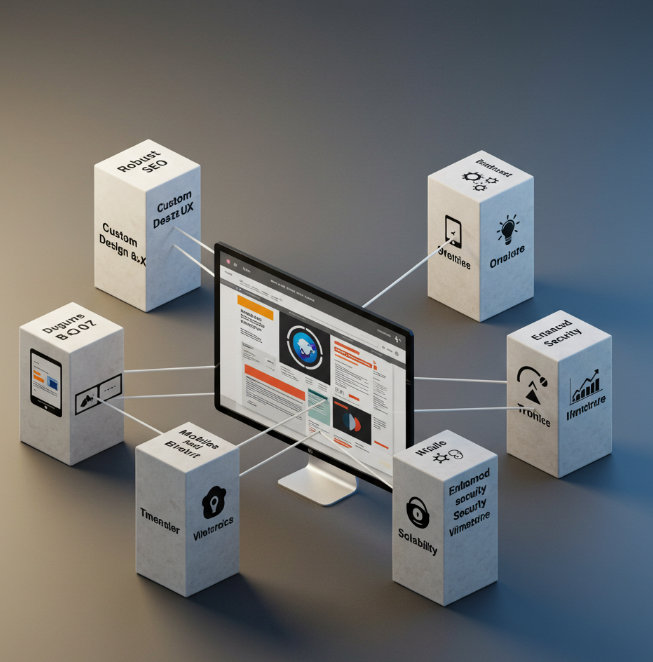
An effective professional website is built on interconnected foundational pillars.
- Conversion-Centered Design and Intuitive User Experience (UX)
A professional site is engineered for results, with Conversion Rate Optimization (CRO) guiding every element—layout, navigation, content, and Calls to Action (CTAs)—to lead users towards desired actions. Intuitive UX removes friction. - Robust SEO Implementation and Mobile-First Optimization
Comprehensive SEO is integrated from inception: Technical SEO, on-page optimization (keywords, HTML Structure, Meta Tag Customization, Schema Markup), and off-page strategy. Mobile Optimization is mobile-first, ensuring a seamless experience and satisfying Google’s ranking priorities. - Enhanced Security Measures and Reliable Performance
Robust security instills trust: SSL Certificate (HTTPS), secure hosting, regular updates, and monitoring to prevent Security Vulnerabilities and Trust Breaches. Reliable performance (fast Slow Loading Times, high uptime) is ensured through optimized code and quality hosting.
These pillars are interconnected. Weakness in one undermines the whole structure. Professional services ensure comprehensive expertise across all areas.
Actionable First Aid for DIY Websites: Experienced Tips for Mitigating Immediate Damage
For businesses with a DIY site not ready for a full overhaul, some “first aid” measures can help.
- Clarifying Messaging and Implementing Strong Calls to Action (CTAs)
Ensure your core message and unique value are instantly clear. Every important page needs a clear, compelling Call to Action (CTA) using direct, action-oriented language, prominently placed. Replace vague CTAs with specific, benefit-driven alternatives. - Optimizing Images for Speed and Improving Mobile Responsiveness
Large images cause Slow Loading Times. Compress images to reduce file sizes. Check platform settings for Mobile Responsiveness. Ensure text is legible, buttons tappable, and layout coherent on mobile. - Basic SEO Hygiene and Fixing Broken Links
Implement basic on-page SEO: unique, descriptive title tags and meta descriptions with relevant keywords. Use tools to find and fix broken links (404 errors). Add descriptive alt text to images. If possible, submit an XML sitemap to search engines.
These tips address symptoms but are unlikely to be a substitute for a professional solution if core issues are platform-based.
Sustaining Online Excellence & Authority: The Importance of Long-Term Web Strategy & Continuous Expert Maintenance
Launching a professional website is a milestone, not the end. Sustaining excellence requires a long-term strategy and ongoing expert maintenance.

- The Value of Ongoing Support, Updates, and Security Monitoring
A website needs continuous attention. Ongoing Support and proactive Website Maintenance are crucial: regular software updates (CMS, themes, plugins) to patch Security Vulnerabilities, security monitoring, bug fixes, and ensuring compatibility. - Regular Content Updates, Performance Analysis, and Adaptation
Maintain relevance with regular Content Updates (fresh content, refreshing existing content). Continuous Performance Monitoring (traffic, user behavior, conversions, speed, rankings) provides insights for adaptation. - Considering Subscription-Based Web Design for Continuous Expert Care
Subscription Web Design (pay monthly) bundles initial design with ongoing services (hosting, maintenance, security, support, sometimes content/design refreshes) for a recurring fee. This offers predictable costs and continuous expert care.
A long-term strategy with expert maintenance is necessary for sustained online excellence and brand authority.
Conclusion: Investing in Professional Web Presence as a Cornerstone of Brand Authority and Business Success
The journey from hopeful DIY creation to realizing its limitations can be challenging.
Recapping the Risks of DIY vs. the Rewards of Expert Solutions
DIY Websites often lead to diluted Brand Identity from Generic Appearance and Inconsistent Branding, causing Credibility Erosion. Critical SEO Shortcomings due to Limited SEO Capabilities (in HTML Structure, Meta Tag Customization, Schema Markup, Mobile Optimization) result in poor Online Visibility, worsened by Sitemap Issues, lack of Robots.txt control, and no Backlink Building or Technical SEO support.
Compromised User Experience (UX) from Engagement Killers like Poor Navigation, Slow Loading Times, poor Mobile Responsiveness, Accessibility Issues, and weak Calls to Action (CTAs) is common. Security Vulnerabilities from Outdated Software, Shared Hosting, and no SSL Certificate risk Trust Breaches. The myth of affordability crumbles under Hidden Costs, Time Sinks, and Opportunity Cost. Scalability Gaps, Functionality Gaps, and Platform Lock-in stifle growth.
Conversely, a Professional Web Presence offers Brand Rescue. Experts provide Custom Design, navigate Website Migration or Website Redesign with Content Audits and Competitor Analysis. Pillars like Conversion Rate Optimization (CRO) and Ongoing Support ensure the Digital Storefront boosts Brand Perception.
The psychological toll on entrepreneurs with failing DIY sites is immense. Professional help brings relief and confidence.
Final Call to Action: Empowering Businesses to Build Trustworthy and Effective Digital Experiences
Your website is your brand’s digital face. DIY solutions often exact a heavy toll on brand integrity, credibility, visibility, and the bottom line.
The path to a powerful online presence lies in recognizing DIY limitations and embracing professional expertise. Investing in a professionally designed, developed, and maintained website is a foundational investment in your brand’s future.
Move beyond generic templates. Ensure your Digital Storefront reflects your business’s quality and value. Critically evaluate your web presence. If the red flags resonate, seek expert solutions. Empower your business to build trustworthy, effective digital experiences that rescue your brand and elevate it to new heights of success and authority.